In today’s fast-paced digital world, managing social media effectively can feel overwhelming. The key to staying ahead is consistency, strategic timing, and leveraging the right tools. This is where HubSpot shines as an all-in-one social media management platform. Whether you're aiming to maintain a steady posting schedule, monitor brand mentions, or craft engaging posts tailored for each platform, HubSpot simplifies it all.
This guide will break down every step—from setting up your accounts to using advanced features like AI-assisted content creation, keyword monitoring, and analytics. If you’ve never scheduled social media posts or used a tool like this before, don’t worry! By the end of this guide, you’ll feel confident in managing your social media strategy like a pro.
Why HubSpot Is a Game-Changer for Social Media Management
HubSpot isn’t just another scheduling tool—it’s a robust, intelligent platform with features designed to make your marketing efforts more efficient and impactful. Here's why it stands out:
- Save Time: Schedule posts across multiple platforms in one go.
- Engage Smarter: Post when your audience is most active using data-driven insights.
- Create Better Content: Leverage AI tools to craft optimized, engaging posts.
- Stay Informed: Monitor keywords and mentions to keep track of brand sentiment.
- Measure What Matters: Analyze performance and refine your strategy continuously.
With these tools at your disposal, you’ll not only save hours but also ensure your content resonates with your audience.
Step 1: Connecting Your Social Media Accounts 🔗
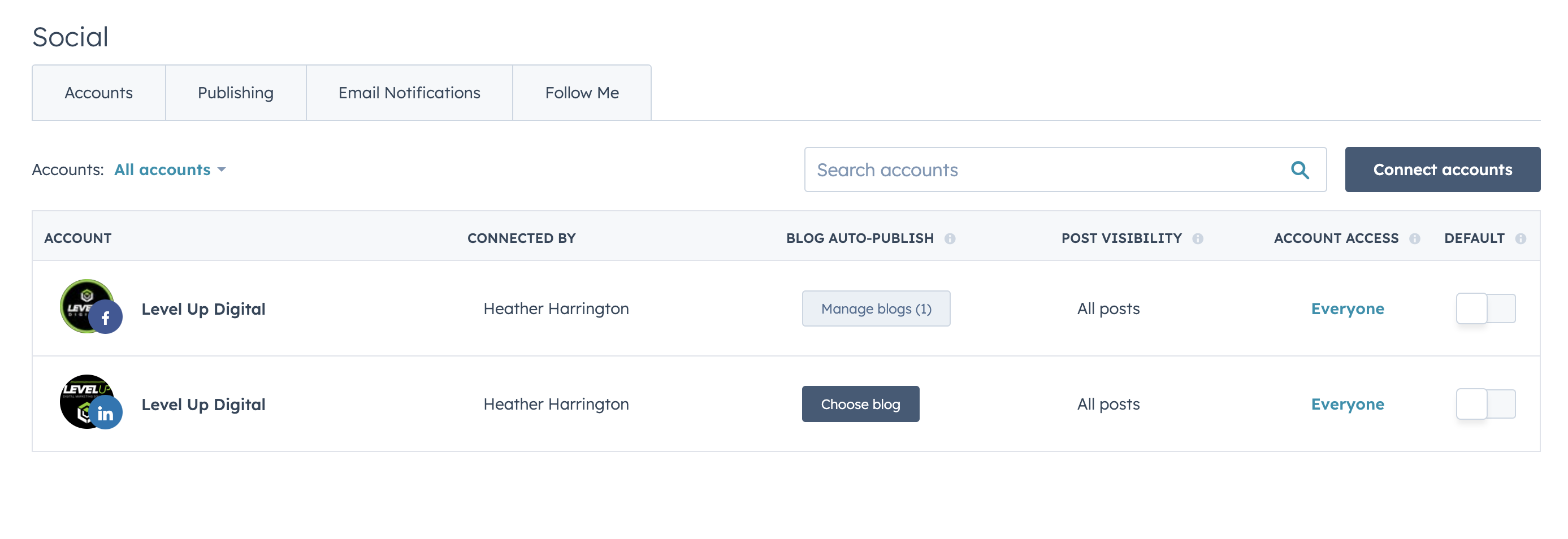
Before you can start scheduling, you’ll need to connect your social profiles to HubSpot.
- Go to Settings: Click the ⚙️ icon in HubSpot’s navigation bar.
- Access Social Settings: Navigate to Marketing > Social in the left sidebar.
- Connect Accounts: Choose the platforms you want to link (Facebook, Instagram, LinkedIn, or X).
- Grant Permissions: Follow the on-screen instructions to authenticate your accounts.
Pro Tip: If you have a HubSpot Blog, once connected, you can change the settings to auto-publish on social media when the blog publishes to your site.
Step 2: Crafting and Scheduling Social Media Posts
Creating Content
- Open the Social Tool: Navigate to Marketing > Social.
- Start a New Post: Click "Create Social Post."
- Customize Per Platform: Tailor your posts for different platforms. Here are some tips:
- Facebook: Longer captions and images in a 1.91:1 ratio work well.
- Instagram: Use up to 30 hashtags and opt for square or vertical images.
- LinkedIn: Stick to a professional tone with fewer emojis.
- X (Twitter): Be concise—280 characters max—and use eye-catching visuals.
- Preview Your Post: Use HubSpot’s preview feature to see how your content will appear.

Scheduling Content
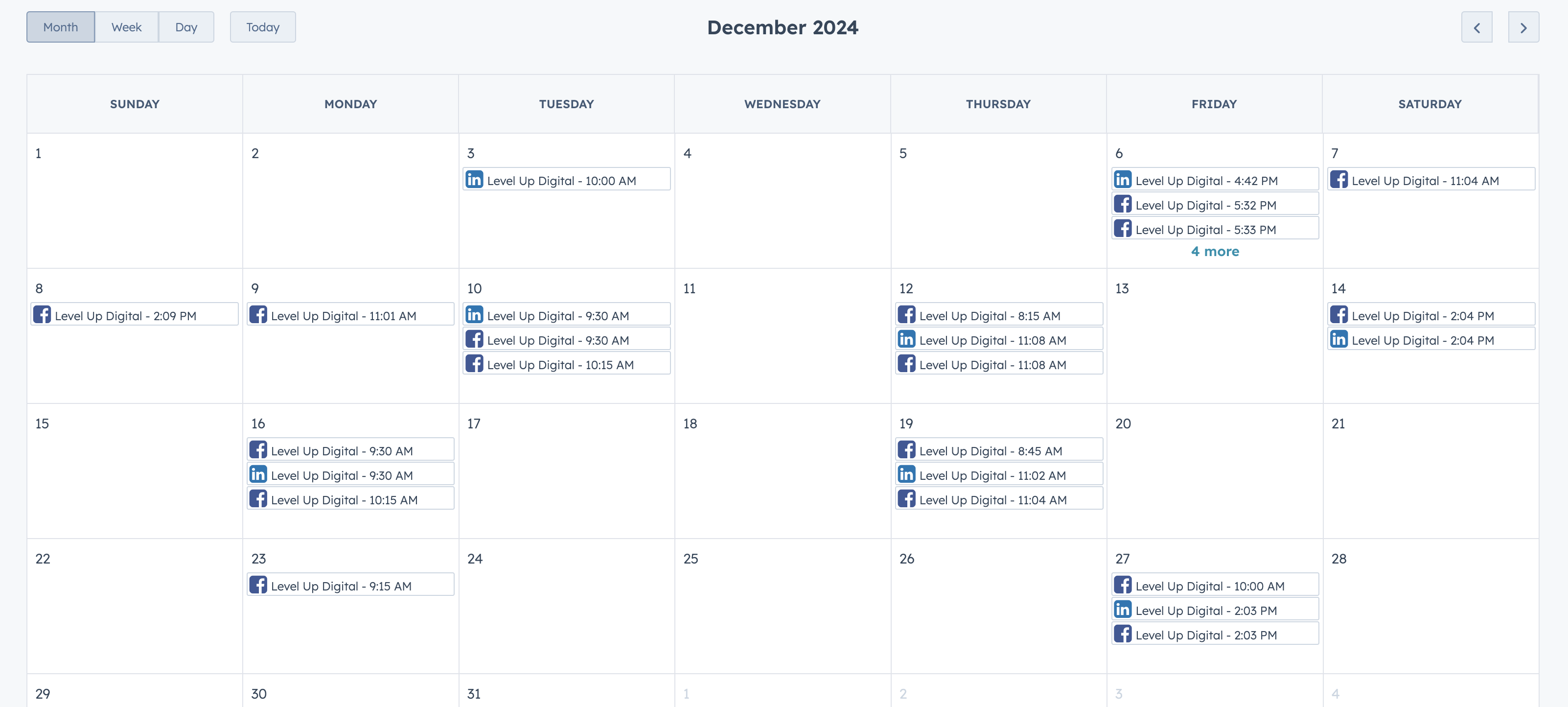
- Set a Date and Time: Use the "Schedule for Later" option.
- Optimize Timing: Use HubSpot’s audience activity insights to find the best posting times.
- Bulk Upload: For high-volume planning, import a CSV file with prewritten content.
Pro Tip: The drag-and-drop calendar feature makes it easy to rearrange posts.
Step 3: Leveraging HubSpot’s AI Tools
HubSpot’s AI tools can supercharge your content creation:
- Topic Suggestions: AI suggests trending topics and content ideas tailored to your audience.
- Hashtag Recommendations: Automatically generate relevant hashtags to boost discoverability.
- Visual Optimization: Get resizing and editing suggestions for images based on platform requirements.
Step 4: Setting Up Keyword Monitoring and Social Listening
Staying on top of online conversations is vital for engaging with your audience and tracking industry trends.
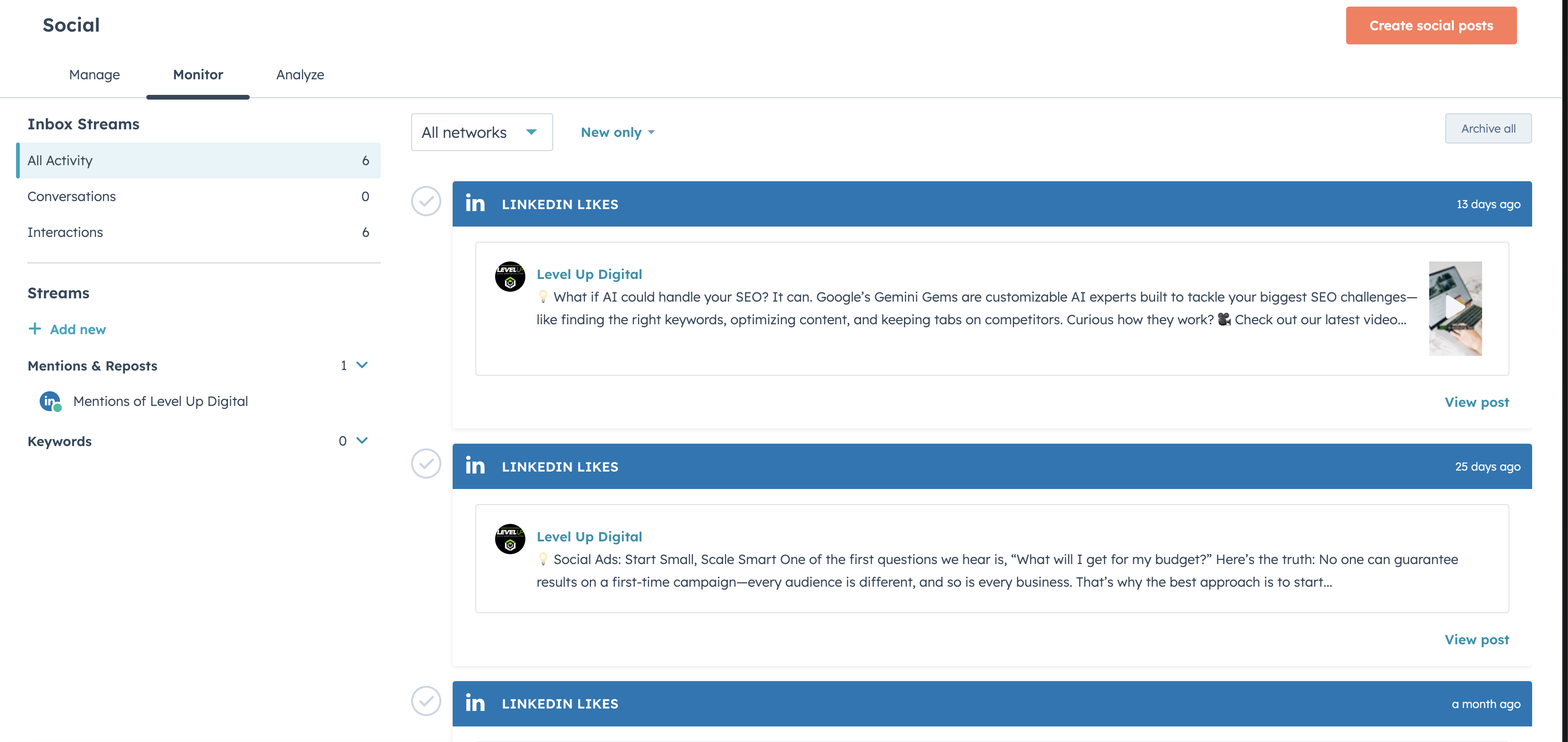
- Go to the Monitor Tab: Navigate to Marketing > Social > Monitor.
- Set Up Streams: Add keywords, phrases, or hashtags to track mentions. Examples:
- Your brand name (e.g., "LevelUp Digital").
- Competitor mentions (e.g., "Company X tools").
- Trending industry terms (e.g., "AI for marketing").
- Analyze Sentiment: HubSpot flags mentions as positive, neutral, or negative.
- Engage in Real-Time: Respond to posts directly from the HubSpot dashboard.
Pro Tip: Use this feature to discover customer pain points and generate content ideas.
Step 5: Analyzing Performance 📊
Once your posts are live, use HubSpot’s analytics to refine your strategy:
- Engagement Metrics: Monitor likes, comments, and shares to gauge audience interest.
- Audience Insights: Learn more about who interacts with your posts.
- Post Performance: Identify which types of posts (videos, infographics, etc.) perform best.
Best Practices for Social Media Scheduling
To really shine on social media, keeping a regular posting schedule is your best friend. Mix things up with a variety of content like videos, infographics, blogs, and promotional posts to keep your feed lively and interesting. Engaging with your audience is just as crucial—make sure to respond to comments and mentions quickly to build trust and connect with your followers. And hey, don’t hesitate to try new things! Experiment with different strategies and tweak them based on what the analytics tell you, so your efforts always hit the mark.
Level up YOur Social Strategy with HubSpot
HubSpot empowers marketers to take control of their social media with tools that simplify, automate, and optimize every step of the process. From scheduling posts to monitoring keywords and analyzing data, HubSpot turns what could be a complex task into a streamlined, efficient workflow.
If you're ready to elevate your strategy, why wait? Contact us today to guide you in integrating HubSpot into your social media and SEO plans.


 Heather Harrington
%20-%202026-07-06T134213.259.png)
 Heather Harrington: Sep 11, 2026, 9:00:00 AM